Work and institutional emails only

Where companies and institutions build together.

Riven is a professional network for people with a work or university email. Student teams build real projects in the open with professors and company engineers as mentors, and companies hire from work they have already seen.

Sign-up asks for your name, work or university email, a password and your date of birth.

  • Real projects
  • Mentoring
  • Jobs
  • Verified organizations
The arch See progress

See every team while it is working.

Faculty often learn that a team was stuck at the final review. On Riven, students join with your university’s email domain, each project keeps a progress log, and you can follow all of them from one place, early enough to step in.
Everything a team needs, in one place

The log, the mentors and the open roles live next to each other, so a project’s whole story is one click away.

  • Progress logs

    Updates, milestones and blockers sit in one timeline per project, and each entry reaches the people who need it.

  • Capped mentoring

    Teams ask professors and company engineers who have room. Each mentor’s limit is checked at the moment a team asks.

  • Jobs next to the work

    Companies post roles beside the projects they follow, and students apply with the resume saved on their profile.

Your work, working for you.

Projects, mentors and hiring share one place on Riven. Here is what that changes for the people building, the people hiring and the people helping.

A better future

Graduate with work people can see.

A transcript says you passed. A project on Riven shows how you think: the plan, the trial that failed and the fix that worked. Everything you build stays on your profile after the course ends, so it keeps working for you.

  • Start your own project, or join a team that is already building.
  • Log updates and milestones as you go, so the work explains itself.
  • Partner universities and companies follow what you make.
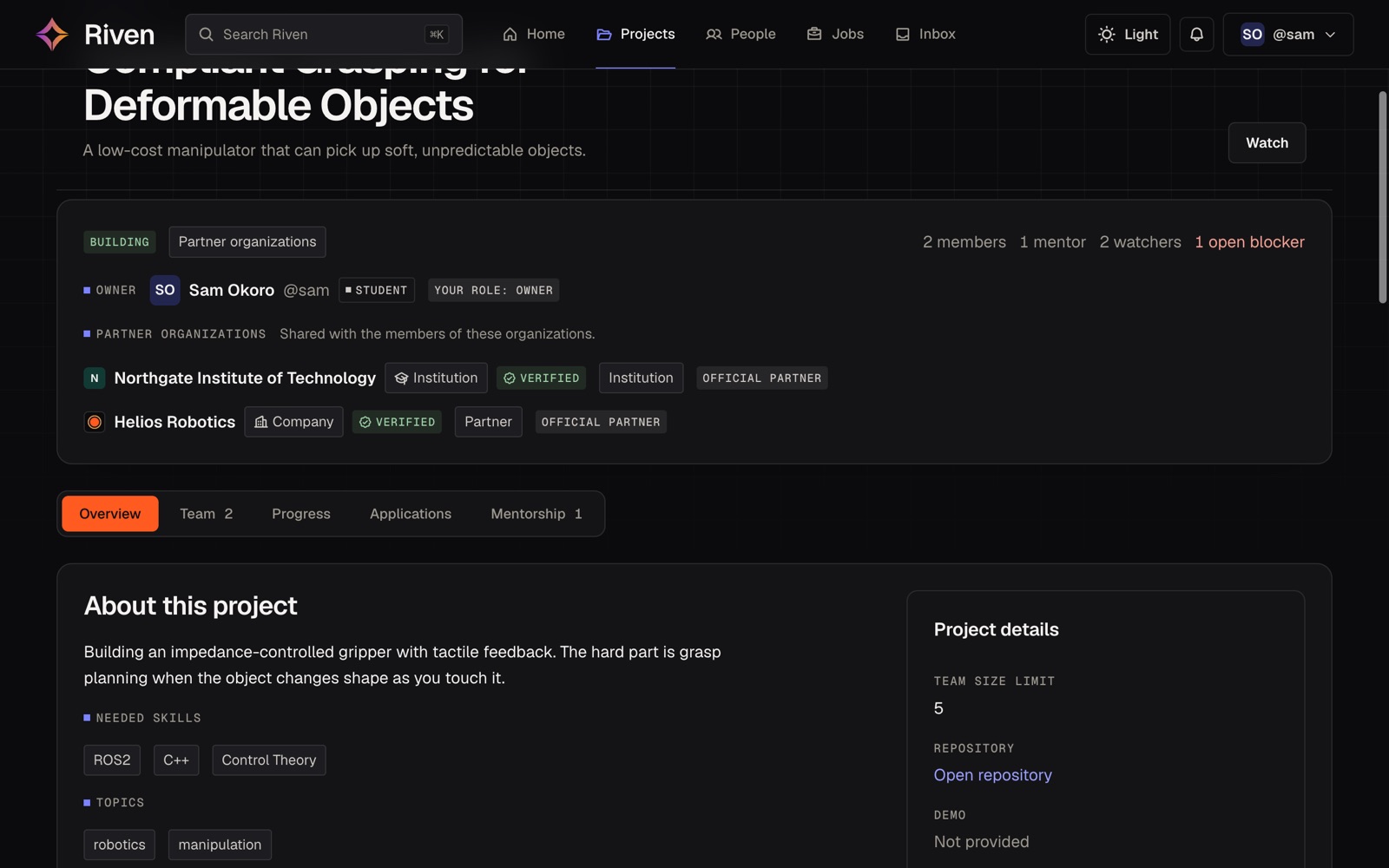
A student project on Riven: Compliant Grasping for Deformable Objects, owned by a student, shared with a verified university and a verified company, with two members, one mentor and one open blocker
Milestone postedShared with Northgate and Helios
Your first job

Get hired for what you have built.

When a hiring team opens your application, your projects come with it. They read how you worked through a hard problem, which tells them more than a list of skills ever could.

  • Filter roles by skill, type and remote work, and save the ones you like.
  • Apply with the resume already on your profile and a short note.
  • Follow each application from submitted to offer in one place.
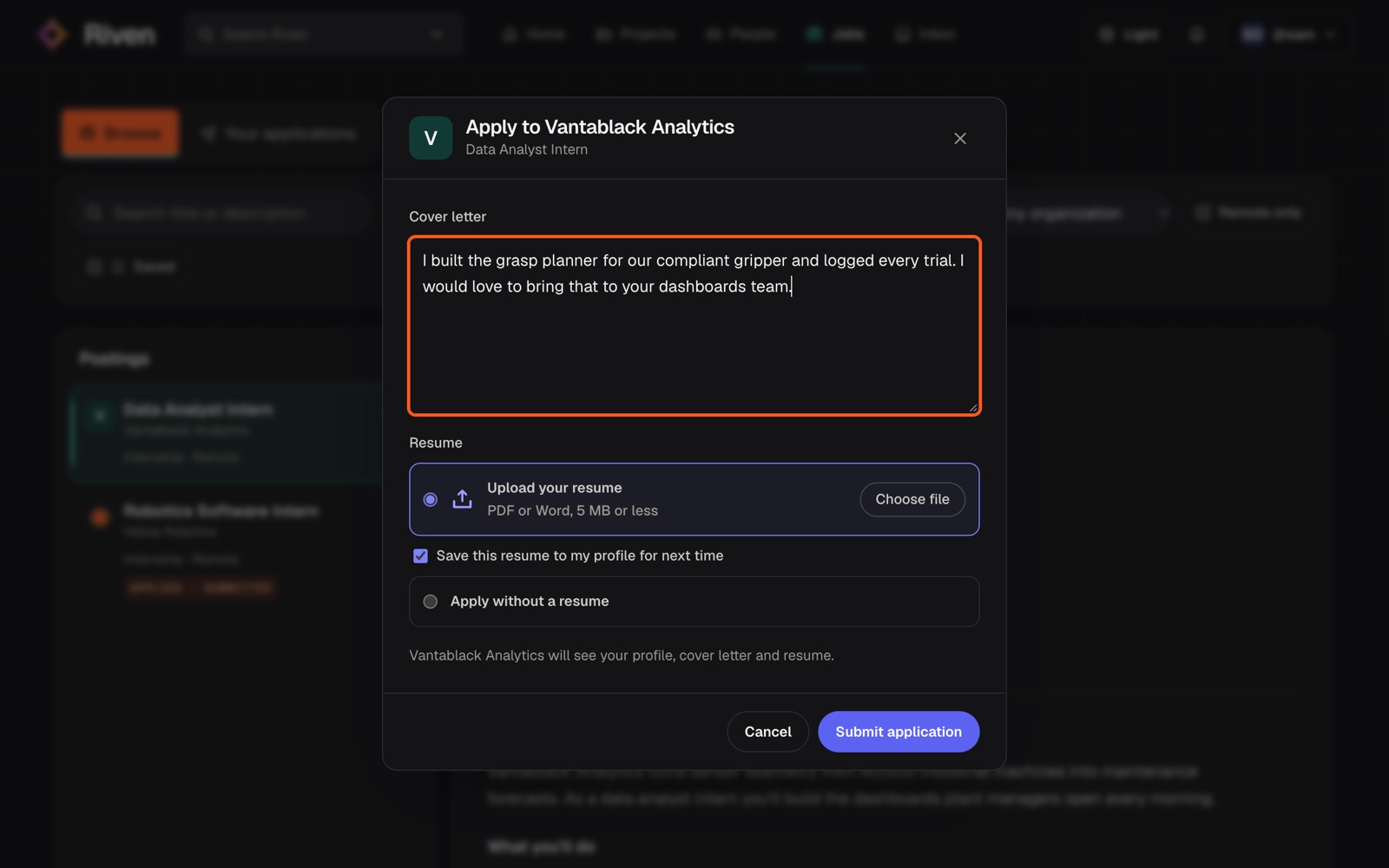
The Riven apply dialog for a Data Analyst Intern role, with a cover letter, the option to upload a resume and save it to the profile, and a Submit application button
Resume attachedSaved on your profile
Better hires

Find people who already do the work.

Follow projects from the universities you recruit at and watch how a team handles a problem with no easy answer. When you post a role, applicants arrive with their projects attached, so your shortlist starts from evidence.

  • Follow projects and read their logs before anyone applies.
  • Post roles on your verified organization page.
  • Move candidates from submitted to hired in one pipeline, with notes for your team.
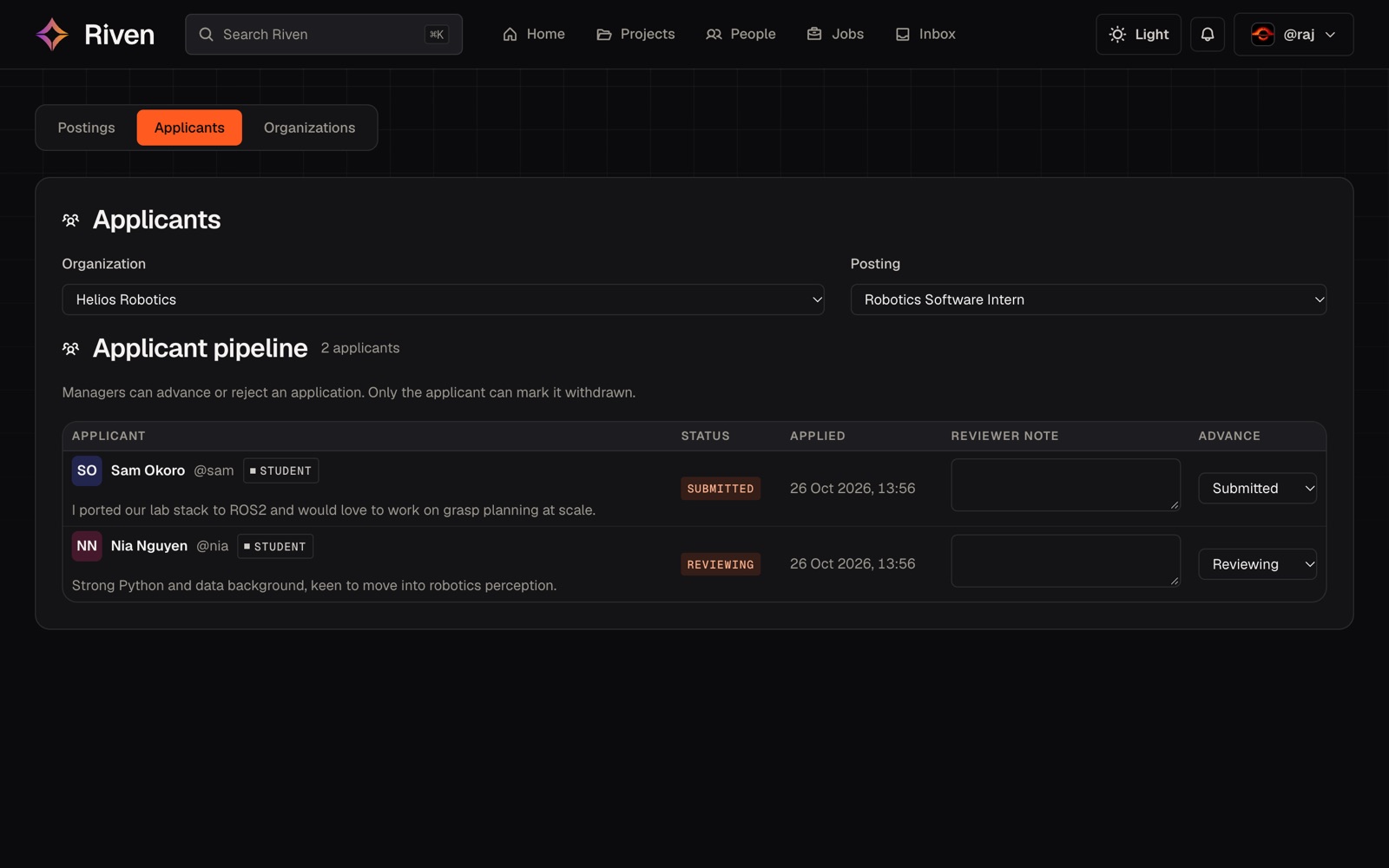
The Riven hiring console showing two applicants for a Robotics Software Intern role, each with a short note, a status and a reviewer note field
2 applicantsRobotics Software Intern
Mentoring that scales

One good answer can unblock a whole team.

A team can lose weeks on a problem an experienced engineer solved years ago. On Riven, blockers go straight to the project’s mentors, and their advice stays in the log, where every team that follows the project can learn from it.

  • Professors and company engineers choose to mentor and set how many teams they take.
  • Blockers reach the mentor directly, while help still makes a difference.
  • Advice stays in the project log for everyone who follows it.
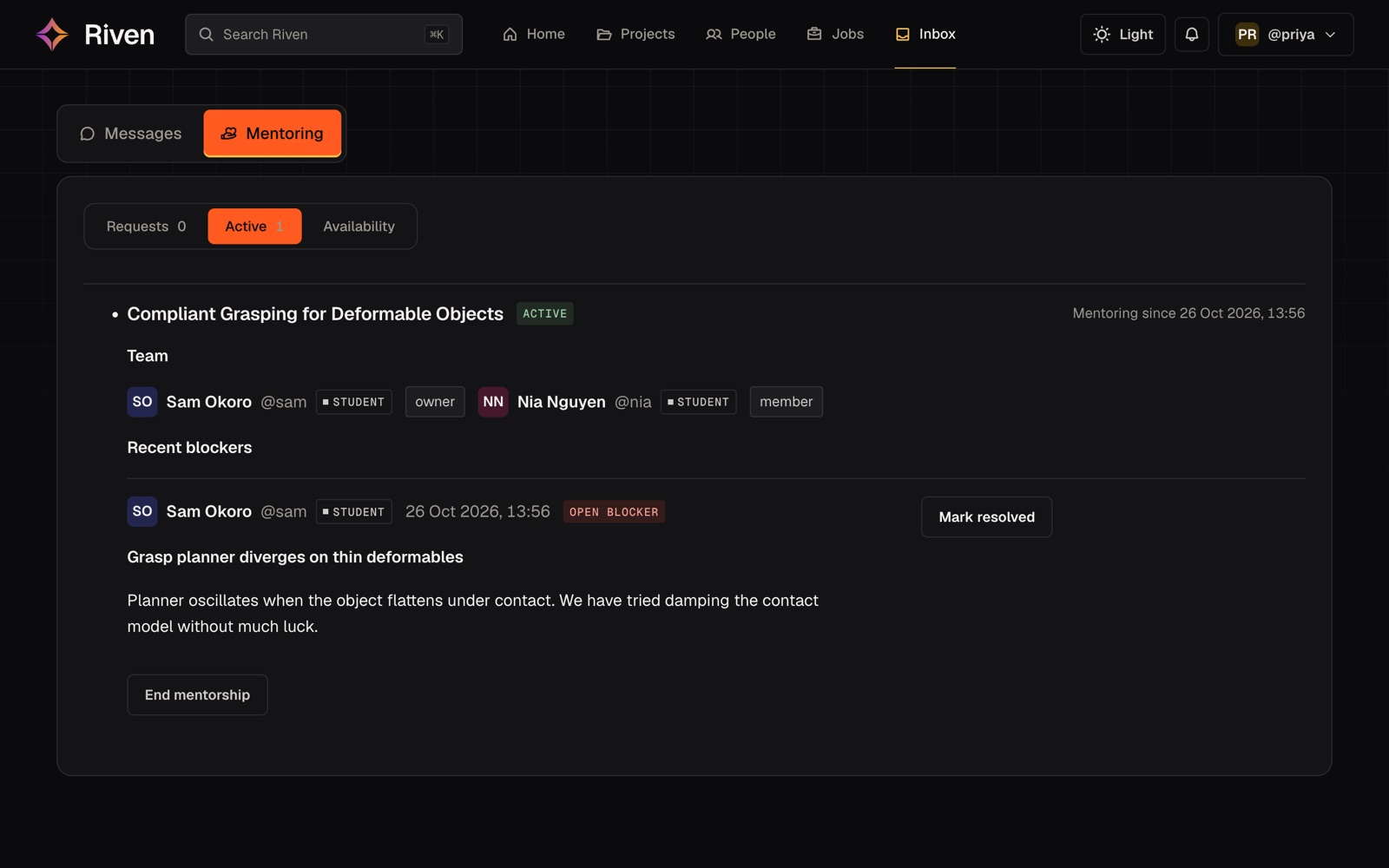
A mentor inbox on Riven: an active mentorship with a two-person student team and an open blocker about a grasp planner, with a Mark resolved button
Open blockerSent to your mentor
Joining

Sign up with the email you work from.

Riven only accepts work and university addresses. Your domain tells us which organization you belong to, so the people you meet here are who their profiles say they are.

  • Personal inboxes are turned away

    You cannot sign up with Gmail, Outlook.com, Yahoo, iCloud, Proton or a throwaway inbox service.

  • A matching domain verifies you

    If your domain belongs to an organization on Riven, you confirm where you work or study in one click. If it does not, you can ask an admin to add it.

  • Everyone starts as a student

    Mentor, company and institution roles are requested in the app and reviewed by an admin. Until your affiliation is confirmed you can read everything, but you cannot post, comment or apply.

Type the address your company or university gave you. The check runs in your browser and nothing is sent.

The progress log

Progress, written down as it happens.

Every project keeps a log of updates, milestones and blockers. Each kind of entry reaches different people, so the feed stays worth reading and the mentors hear first when a team is stuck.

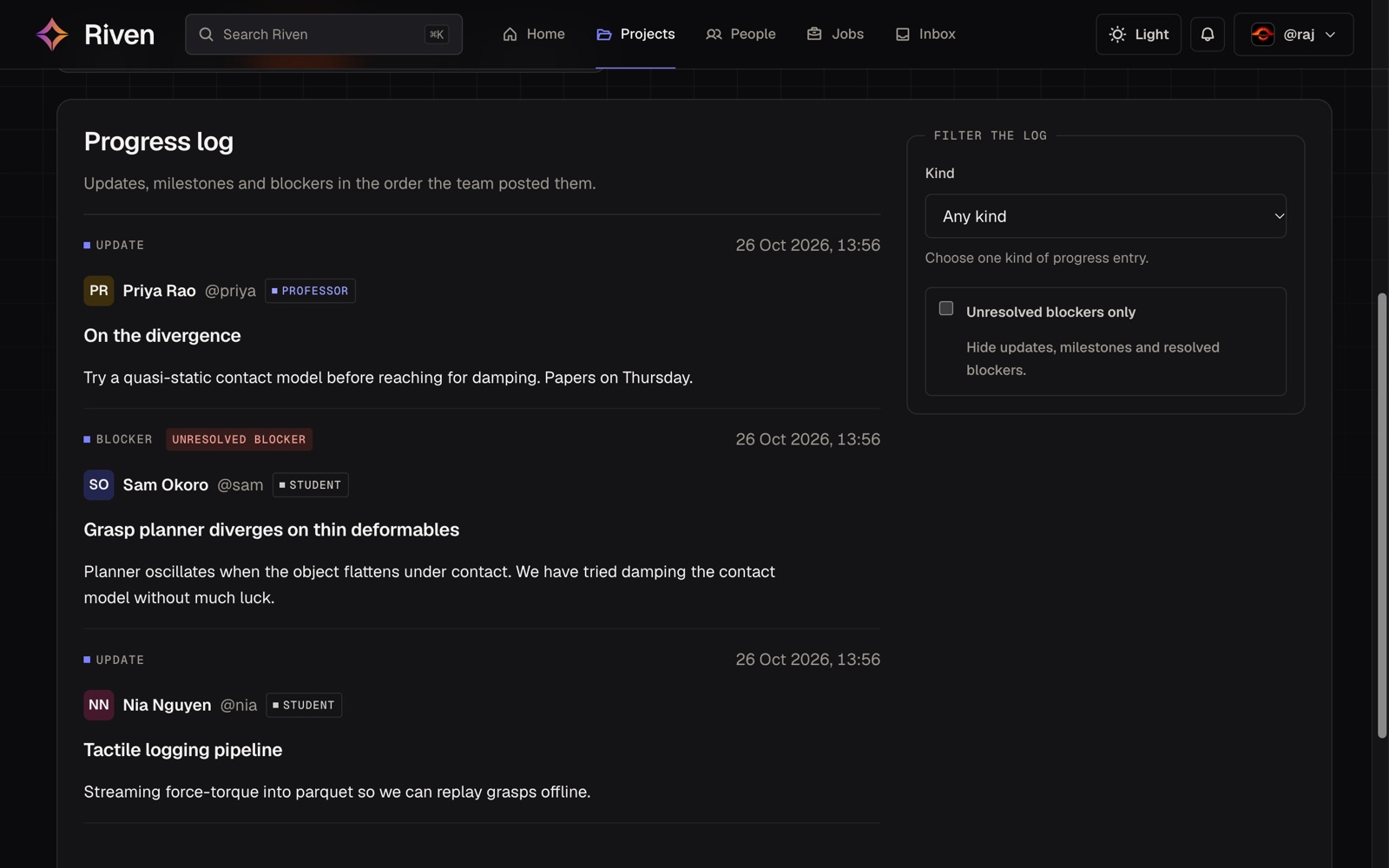
Riven's progress log for a robotics project: a professor's update, an unresolved blocker from a student, and a student's update, with a filter for unresolved blockers
Example entriesIllustration
updateNia Nguyen

Force-torque readings now stream to Parquet, so every grasp can be replayed offline.

Stays in the log for anyone following the project.

milestoneSam Okoro

First stable grasp on a folded towel: 38 of 40 trials held.

Goes to the feed, where companies and the university see it.

blockerSam Okoro

The grasp planner diverges on thin deformables. Damping the contact model did not help.

Goes straight to the project’s mentors, who are the people able to help, and stays out of the feed.

Two people talking at a wooden table, one writing in a notebook

Mentors set their own limit.

Professors and company engineers decide whether to mentor and how many teams they will take on.

Capacity

Capacity is checked when a team asks.

A request never reaches a mentor who is already full, even when two teams ask at the same moment.

Start

A student, professor or company opens a project.

Team

Students apply, or the project’s managers invite them.

Mentor

The team asks a professor or engineer who has room.

Ship

Milestones and launches reach the feed, where companies follow them.

Questions people ask first.

Who can join?

Anyone 18 or over with a work or university email address. New accounts start as students, and other roles are requested from inside the app.

Why can’t I use my personal email?

Riven reads your email domain to tell which company or university you belong to. That lets an organization confirm its own people without paperwork, and it keeps anonymous accounts out.

I’m a student without a university email.

For now you need one to join. If your university gives students an email account, sign up with that address.

My organization isn’t on Riven yet.

Sign up with its email anyway. Inside the app you can ask for your organization to be added, and an admin reviews the request.

Who can see my project?

You set its visibility, and the database checks that setting on every request.

How are mentors matched?

A team asks from the professors and company engineers who have opted in. Each mentor’s capacity is checked at the moment the team asks.

What happens to my data?

You can export everything Riven holds about you, saved jobs included, or delete your account from your privacy settings.

Trust

Access is decided in the database.

Every request runs under the identity of the person making it, and Postgres decides what they can read. A bug in the interface cannot show someone data the database would refuse them.

Email

Work addresses only

Sign-up turns away personal providers, and each person’s domain links them to their organization.

Database

Row-level security

Postgres policies decide which rows each person can read, so a page that hides a link is a convenience on top of that check.

Accounts

Roles are reviewed

Mentor, company and institution roles come by invitation or an admin-reviewed request. Nobody can be invited as an admin.

Consent Age and privacy consent are recorded at sign-up, and you can see and manage both in your settings.

How access works

Close the gap.

Bring your company or your university. All you need to start is the email you work from.